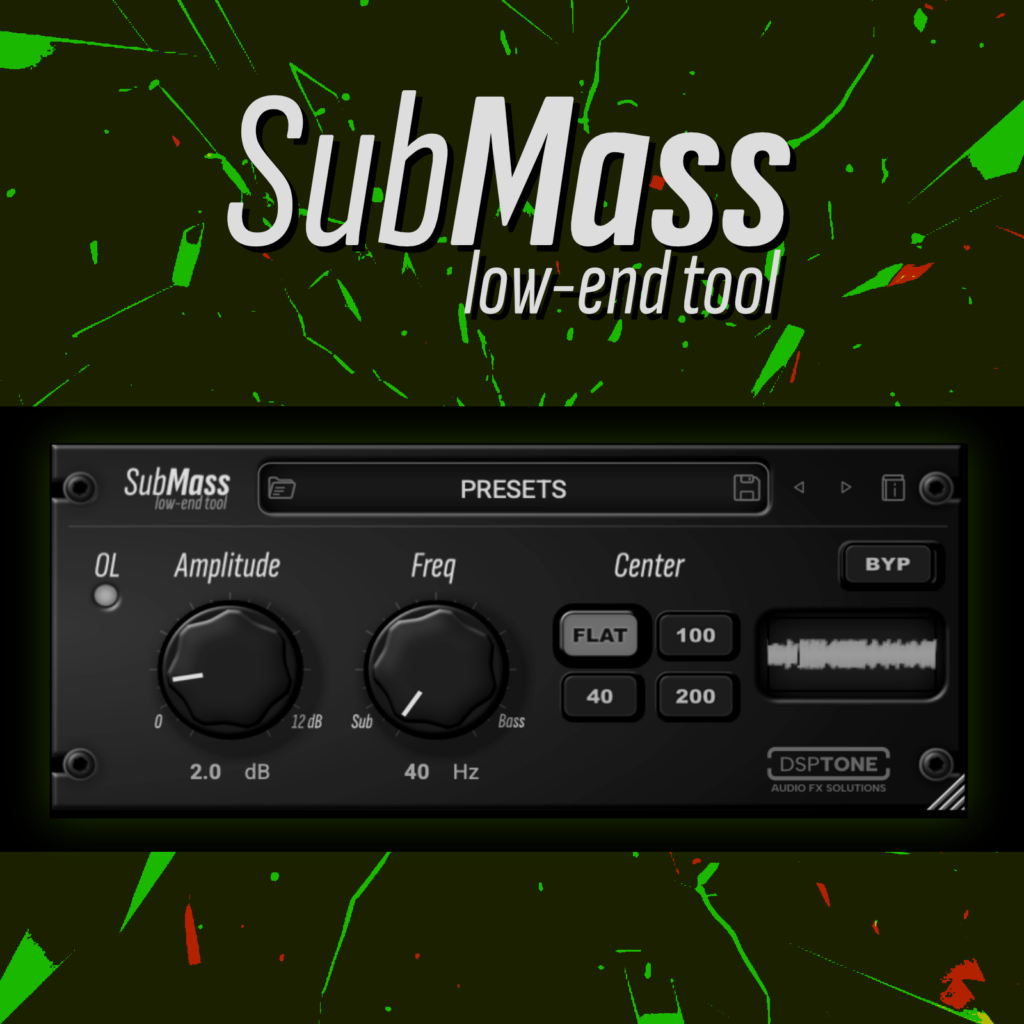
LOW-END BASS RESONATOR TOOL
Designed to solve the ultimate mixing challenge: achieving a massive, powerful bass response
SUBMASS
In standard mixing, boosting low-end with a traditional equalizer often introduces unwanted sub-bass mud, robs your mix of headroom, and creates a flabby, uncontrolled low-end.
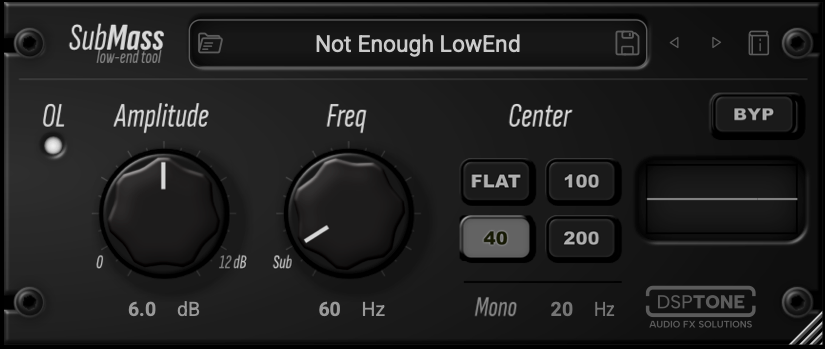
SubMass fixes this by using a specialized, interactive filtering circuit. It creates a tight, resonant volume peak right at your chosen target frequency while simultaneously executing an aggressive high-pass cutoff immediately below it.
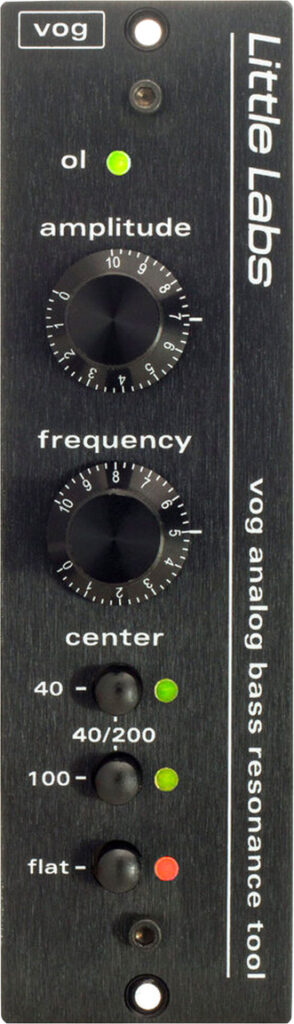
– Instant focus, inspired by LittleLabs “Voice of God” 500-series sound processor
– Preserver headroom: mixes will actually gain headroom and sound louder
– Tune your low-end purely by ear in seconds
UPDATE 1.0.7
– Performance improvements (Improved CPU usage).
– Presets updated for backward compatibility with Mono parameter
– Updated filter algorithms.
$18 $11.7 at sale / 35%
Immediate psychoacoustic illusion of weight, punch, and authority
that translates perfectly to any speaker system, without adding unnecessary sub-bass clutter.
Every engineer knows the struggle: a bass track that sounds huge in solo but vanishes on small speakers
– a synth pad that rumbles but eats all your headroom.
– a kick drum that pokes through but lacks “weight.”
SubMass is inspired by the legendary Little Labs™ Voice of God 500-series device, an analog “bass resonator” designed to salvage, enhance, and redefine low-frequency content.
Unlike tools that use subharmonic synthesizers or artificial harmonic distortion, SubMass FX achieved its massive low-end purely through a precision-engineered, resonant solid-state filtering
What it fixes?
- Weak low-end: Instruments that lack fundamental body.
- Muddy mixes: Resonant build-up that clouds up to 250 Hz.
- Monitoring translation: Bass that feels present only on subwoofers.
- Inconsistent sustain: Notes that die out before the groove resolves.
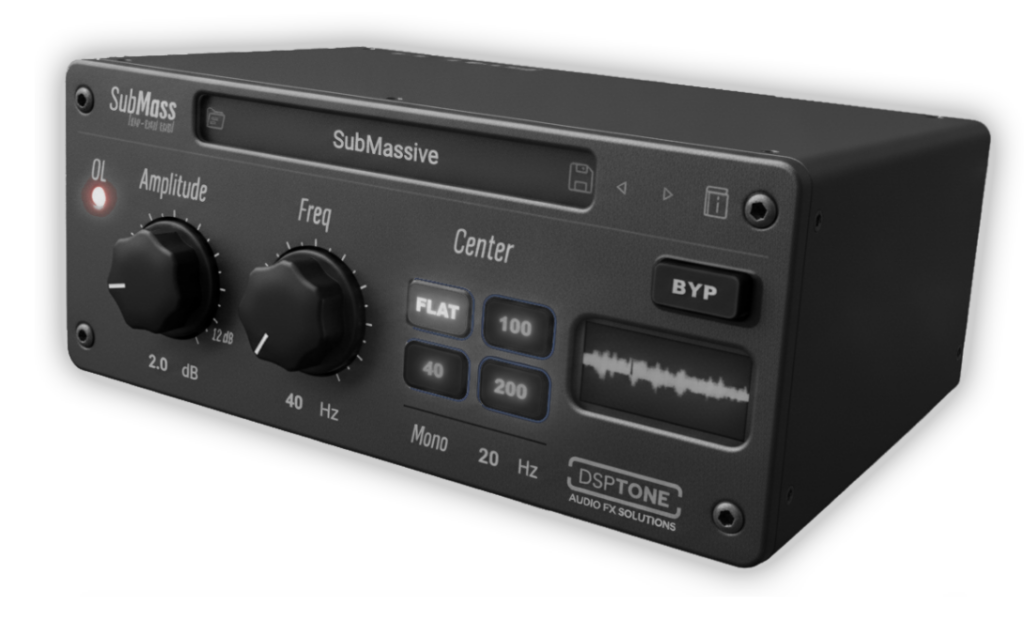
Making your bass instruments feel larger, more focused, and mix-ready
A simple low-shelf & EQ bell is static…
But SubMass is dynamic in perception, it reinforces what is already there.
Whether you struggle with a thin DI bass or an 808 that needs “chest feel,” SubMass delivers analog-style low-end control in a clean digital form
Making your bass instruments feel larger, more focused, and mix-ready
A simple low-shelf & EQ bell is static…
But SubMass is dynamic in perception, it reinforces what is already there.
Whether you struggle with a thin DI bass or an 808 that needs “chest feel,” SubMass delivers analog-style low-end control in a clean digital form
INSPIRED BY HARDWARE PHENOMEN
A secret weapon among top-tier mix engineers
The original Little Labs* Voice of God (VOG)™ was born out of a practical need in high-end recording studios. Originally designed as a custom tool to fix thin voiceovers and broadcast vocals giving speaker talent that authoritative, radio-ready “Voice of God” presence audio engineers quickly realized its massive potential for music production.
When it was released, it became a secret weapon among top-tier mix engineers for transforming kick drums and bass guitars. it achieved low-end “weight” using a completely clean, solid-state signal path.
It didn’t rely on transformers to saturate or generate fake sub-harmonics.
It relied purely on a beautifully tuned, highly interactive resonant filter circuit.
* ™: All product names, artists and bands names, trademarks and registered trademarks are the property of their respective owners. All company, product, bands and service names used are for identification purposes only. Use of these names, trademarks and brands does not imply endorsement
“SubMass isn’t just an EQ. It’s a workflow optimizer. You tune it by ear to the key of the song, instantly focusing your kick or 808 without fighting overlapping curves or mud.”
When Kick & Bass elements compete for the same frequencies, the result is typically a loss of clarity, reduced headroom, and a muddy low end.
Inspired by the classic Little Labs VOG hardware, SubMass is a dedicated resonant utility designed to help you sculpt, focus, and clean up your low end.
HOW FX WORK
SUBMASS / $18 $11.7 at sale / 35%
The Physics of Sub-Bass
Dear producer or musician, We recently noticed a common question circulating on mixing topics:
“Why should I buy SubMass when I can just use the free emulation of the classic Pultec low-end trick to enhance bass??”
From a DSP engineering standpoint, the two tools function on completely different physical principles. Here is why elite engineers choose SubMass (VOG-style) over passive EQ curves
Low-end Pultec EQ technique myth
How SubMass saves absolute headroom on 808s and kick drums compared to Pultec’s broad curves
1. Resonant Filtering vs. Shelving Curves
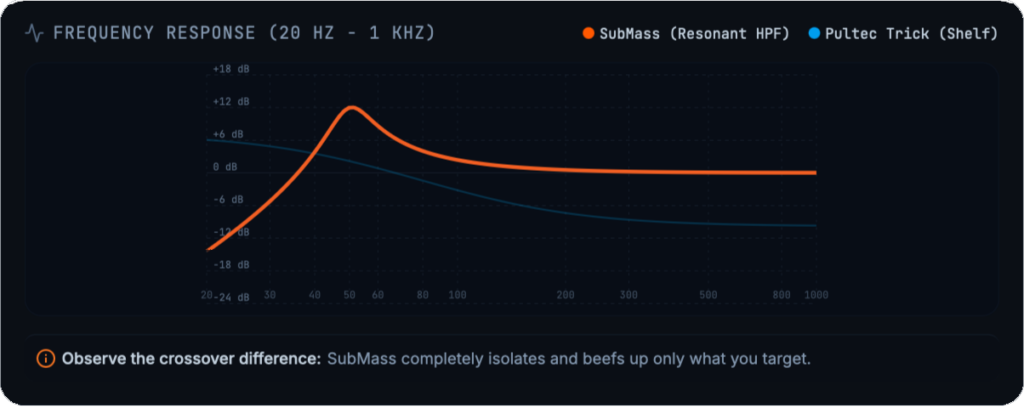
The Pultec trick couples a broad shelving boost with a broad shelving cut, still boosting low-end mud below your cutoff. SubMass is a resonant High-Pass Filter, carving a razor-sharp, narrow-Q peak at your target frequency (40-100Hz) while aggressively rolling off everything below it.
2. Real Headroom Protection on Kicks & 808s
Pultec curves boosted at 60 Hz continue to inflate the sub-bass rumble (40 Hz) that hogs vital digital headroom. SubMass eliminates sub-low mud completely, keeping the low-end incredibly tight, clean, and high-headroom.
3. Phase vs. Resonance Envelope
A Pultec relies on passive phase shifting. SubMass directly manipulates the envelope and “ring” of a specific fundamental frequency, letting you tune the physical decay of your sub-bass like hardware.
PROBLEM WITH STANDARD EQ
When you boost low frequencies with a typical EQ, you boost a wide band of frequencies, including the extremely low, muddy sub-frequencies that drain headroom and clutter your mix
HOW SUBMASS WORK
SubMass targets a specific, user-selected frequency and applies a sharp, resonant peak at that exact point. Simultaneously, it applies a steep high-pass curve directly below that frequency
Add weight and presence to a precise frequency while cleaning up the muddy, unusable sub-bass directly underneath it. It provides a level of low-end focus that is difficult to replicate quickly with standard EQ tools.

WHY MUST TRY?
Resolve conflicts between kick drums and bass guitars. You can pin the resonance of the kick to one frequency and the bass to another, creating clear separation
Tune the low-end energy of your sub-basses and kicks to the actual key of your track, ensuring the low end is musical and tight
Authority to vocal tracks, without making them boomy or muddy
USE BETTER FOR
-KICK DRUMS (Acoustic & Electronic): Adds incredible chest-thumping punch to 808s, 909s, rock kick drums
– BASS GYUITARS & SYNTHS: Locks down the fluctuating low-end of a bass performance, giving it a consistent, steady foundation
– VOICEOVER & MALE VOCALS: Restores proximity effect to thin, poorly recorded microphones, givingvocals a deep, cinematic authority
– VOCALS: Tempo-synced delays. Ducking for clarity. Darker Tone settings
– TOM-TOMS: Tightens floor toms, accentuating their deep resonance while filtering out muddy bleed from the rest of the drum kit
™: All product names, artists and bands names, trademarks and registered trademarks are the property of their respective owners. All company, product, bands and service names used are for identification purposes only. Use of these names, trademarks and brands does not imply endorsement

64 bits support
Mac Intel / Apple Silicon
Windows 10
Frequently Asked Questions / F.A.Q:
VST3, AU & AAX formats, 64-bits only
* AAX is a trademark and software of Avid Technology. Audio Units is a trademark and software of Apple Inc. VST3 is a trademark and software of Steinberg Media Technologies GmbH.
Ableton Live 11+ / Mac & PC: AU & VST3
Bigwig 4+ / Mac & PC: AU & VST3
Cubase 13+ / Mac & PC: VST3
Digital Performer 11+ / Mac & PC: AU & VST3
FL Studio 23+ / Mac & PC: AU & VST3
GarageBand 10+ / Mac: AU
Logic Pro 10+ / Mac: AU
ProTools 12+ / Mac & PC: AAX
Presonus / Fender Studio One 5+ / Mac & PC: AU & VST3
Reaper 6+ / Mac & PC: VST3
Reason10+ / Mac & PC: VST3 / (Reason Rack: VST3)
Cakewalk Next / PC: VST3
Cakewalk Sonar – VST3
..and many more. If your DAW is suport AU, AAX & VST3 formats, they must work.
| Mac | Windows |
| 64-bits only Intel & Apple Silicon, Mac OS X 10.15 or higher | OS: 64-bits only Windows 10 or higher |
| RAM: 4Gb minimum, 16 recommended | RAM: 4Gb minimum, 16 recommended |
| Disk space: 200Mb free drive space | Disk space: 200Mb free drive space |
Just write to us about problem or any ideas to us: [email protected]
We provides separate installers for macOS and Windows. Launch the installer for your operating system and follow the steps. All selected plugin formats install automatically to their standard locations.
Windows — VST3 (64-bit), AAX
– VST3 installs to: C:\Program Files\Common Files\VST3
– VST3 installs to: C:\Program Files\Common Files\VST3
macOS — AU, VST3 (64-bit), AAX
– AU installs to: /Library/Audio/Plug-Ins/Components
VST3 installs to: /Library/Audio/Plug-Ins/VST3
AAX installs to: /Library/Application Support/Avid/Audio/Plug-Ins
Every license includes 3 activations. You can run the plugin on up to three systems simultaneously. No hardware dongle is required.
The activation window appears automatically the first time you launch the plugin. You can also reopen it later through the License button inside the plugin.
1. Open the activation window.
2. Click Activate your plugin
3. Click Let’s Go!
4. Your browser opens the Audioloom activation page.
5. Sign in with your Audioloom account.
6. The plugin activates automatically.
Use this method on systems without internet access.
Step 1 — Inside the plugin, click Activate your plugin. Select Offline Activation and click Generate Machine File. This creates a machine-specific activation request file.
Step 2 — Transfer the file to a machine with internet access. Open your browser, go to audioloom.com/activate, and drag the machine file onto the page. A license file for your offline machine will be generated.
Step 3 — Transfer the license file back to your offline machine. Activate by dragging the file onto the activation window.
Offline activations are permanent Once an offline activation is used, it is permanently bound to that machine. It cannot be revoked or transferred. Use online activation whenever possible to keep your activation slots flexible.
Online activations can be deactivated at any time, freeing up a slot for another machine. You can deactivate directly inside the plugin or via your account on the Audioloom website.
To deactivate inside the plugin:
1. Open the plugin.
2. Open the license information panel.
3. Click Deactivate.
To deactivate via the website:
1. Log in to your Audioloom account.
2. Navigate to your licenses.
3. In the Activations column, click Manage.
4. Select the active machine and click Revoke.
Offline activations cannot be deactivated If you activated offline, that activation slot is permanently assigned to that machine. Plan your offline activations carefully before proceeding.
Updates Free
Free for lifetime
DAW Support
All main DAWs
Downloads
Links to downlod