MODULATION DELAY
From vintage digital echoes to modern evolving modulation motion
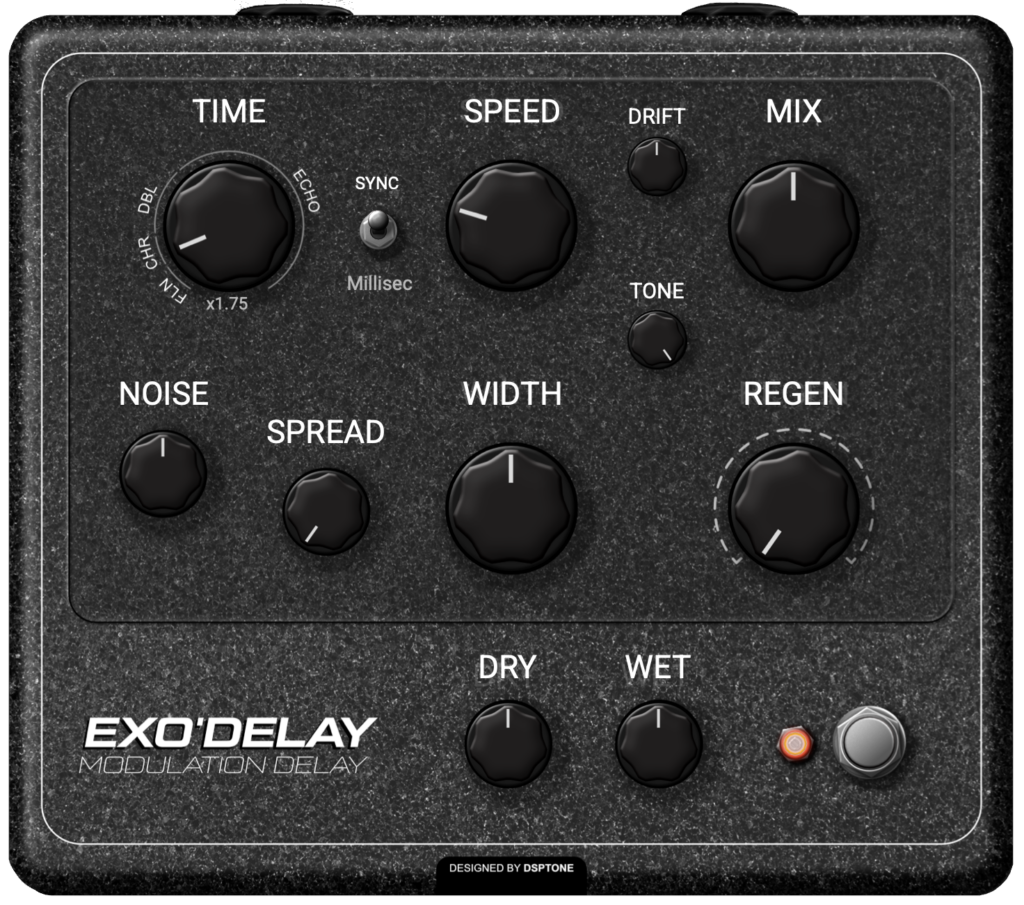
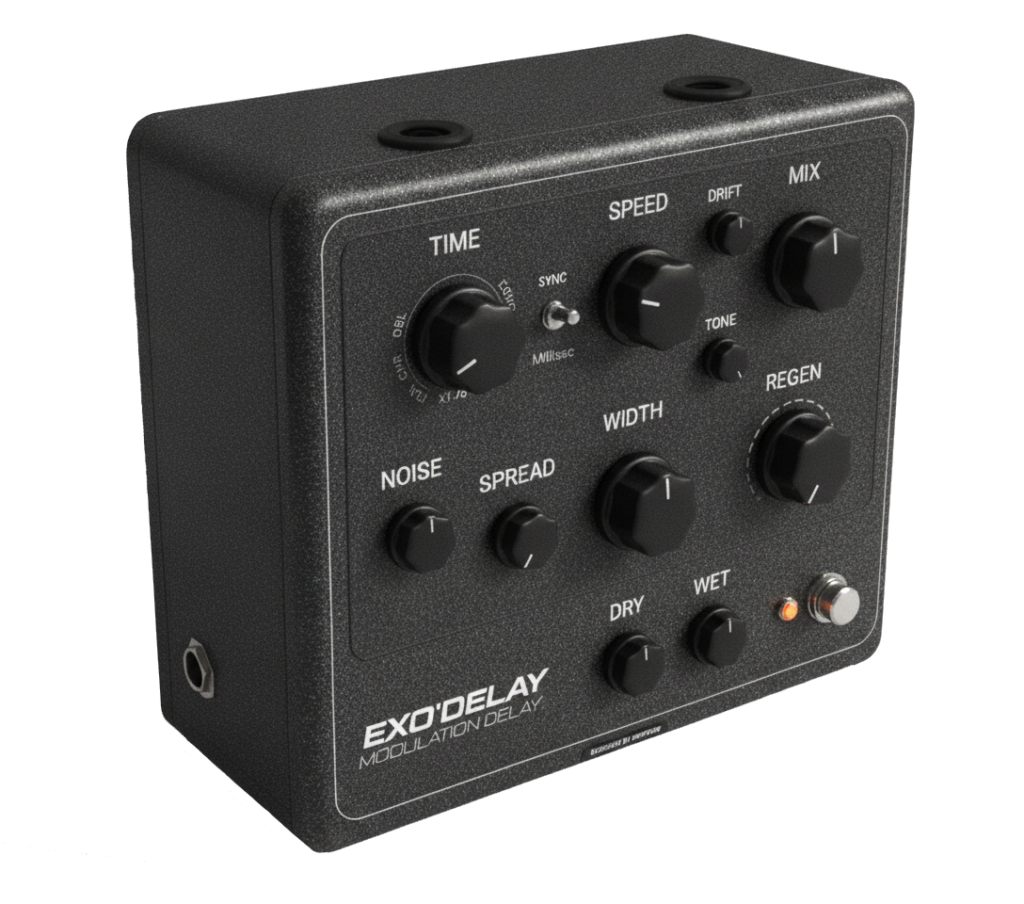
EXODELAY
Several delay eras combined into one, from tight vintage echoes to modern textures
Characterful modulation delay inspired by early digital delay designs of the 1980s and reimagined for modern production
– Vintage digital delay character.
– Modulated echoes with dynamic ducking.
– Classic ranges + modern triple delay mode
Update 1.0.8 info
- Performance improvements (Improved CPU usage).
- Add DRIFT control (Spread modulation depth with positive/negative polarity).
- Presets updated for backward compatibility with DRIFT parameter.
$35
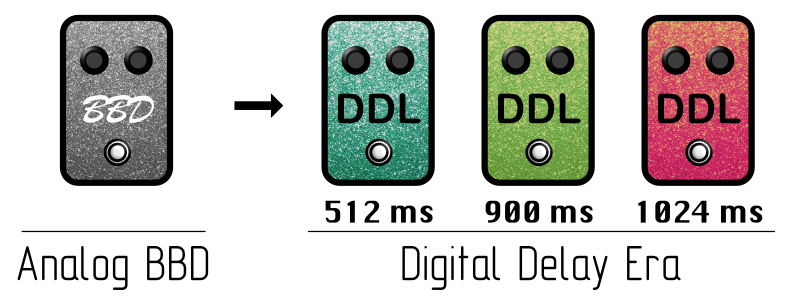
Unlike BBD, early digital units offer:
Clear repeats / Stable delay time / Modulation
However, memory was expensive and bandwidth was limited. Each generation of digital delay had its own distinct character — defined by delay time limits, filtering, noise floor, and modulation behavior. Some units focused on short, chorus-like delays. Others expanded delay time at the cost of bandwidth. Later designs pushed clarity and range further.
Digital Delay Still Matter Today
We inspired in this effect by Ibanez™ pedals (DML, DML10 & DML20) from 1980th. As well-known part of the early digital delay era *
ExoDelay captures this evolution by offering multiple delay characters, each reflecting a different design philosophy from that era — and then extends them with modern routing and control.
Shorter delay ranges encourage rhythmic playing.
Narrower bandwidth sits better in a mix.
Subtle modulation adds movement without chaos. Saturation and noise create depth and presence
DELAY MODES
Inspired by guitar fx delay pedals
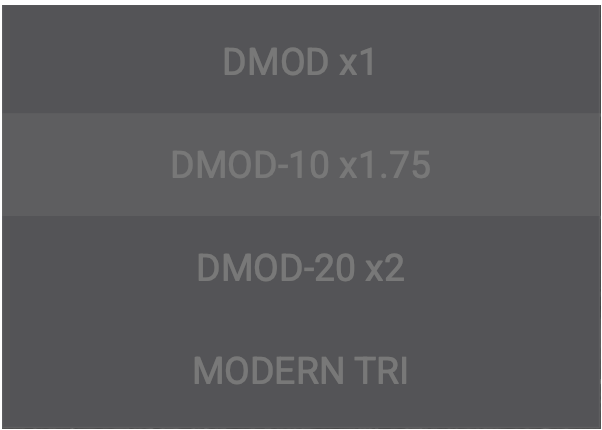
- DMOD: darker bandwidth & stronger character. Rhythmic echoes and classic modulation textures.
- DMOD-10: smoother tone & balanced clarity. Melodic delays and evolving modulation
- DMOD-20: brighter bandwidth & cleaner repeats. Spacious delays and detailed modulation
- MODERN TRI: x3 Delays into one evolving delay line. Ambient effects, rhythmic complexity design
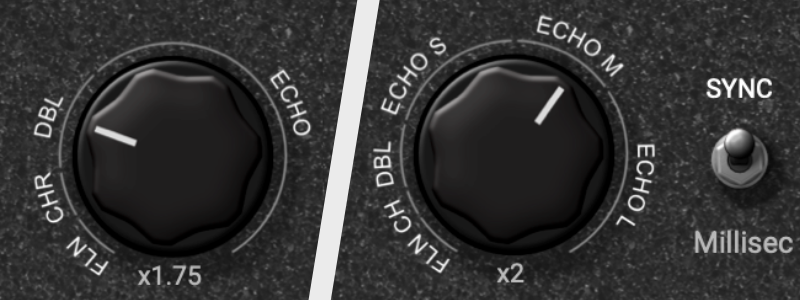
Variable time range as masterpiece
Extended automatically depending on mode
Each Delay mode includes own time range. You can create effects like flanger, chorus, vibrato, doubling, snapback and echo delay lines. Sync – switching Time parameter between Milliseconds and Beats, Triplets & Dotted time-synced values.
ROUTING ARCHITECTURE
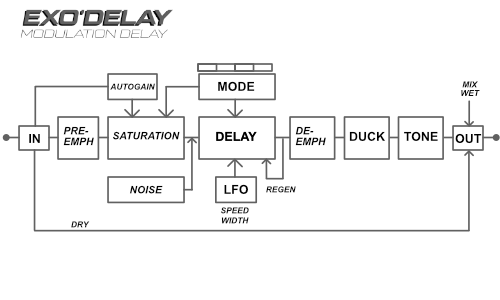
Same principles as other delays, but with added feature of modulation (LFO changes the delay time)
-> Input stage -> Pre-Emphasis stage -> Saturation stage -> Delay stage -> De-Emphasis stage -> Ducking stage -> Tone stage -> Dry & Wet Mix -> Output stage
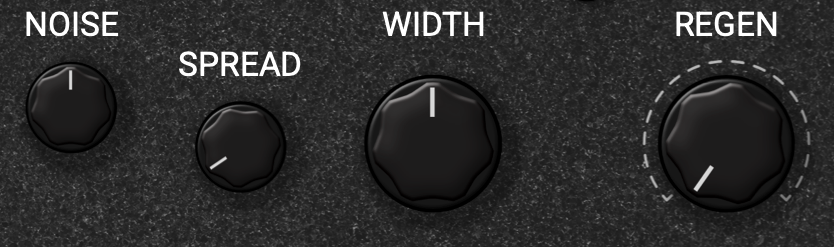
Noise, Spread, Width & Regen time range as masterpiece
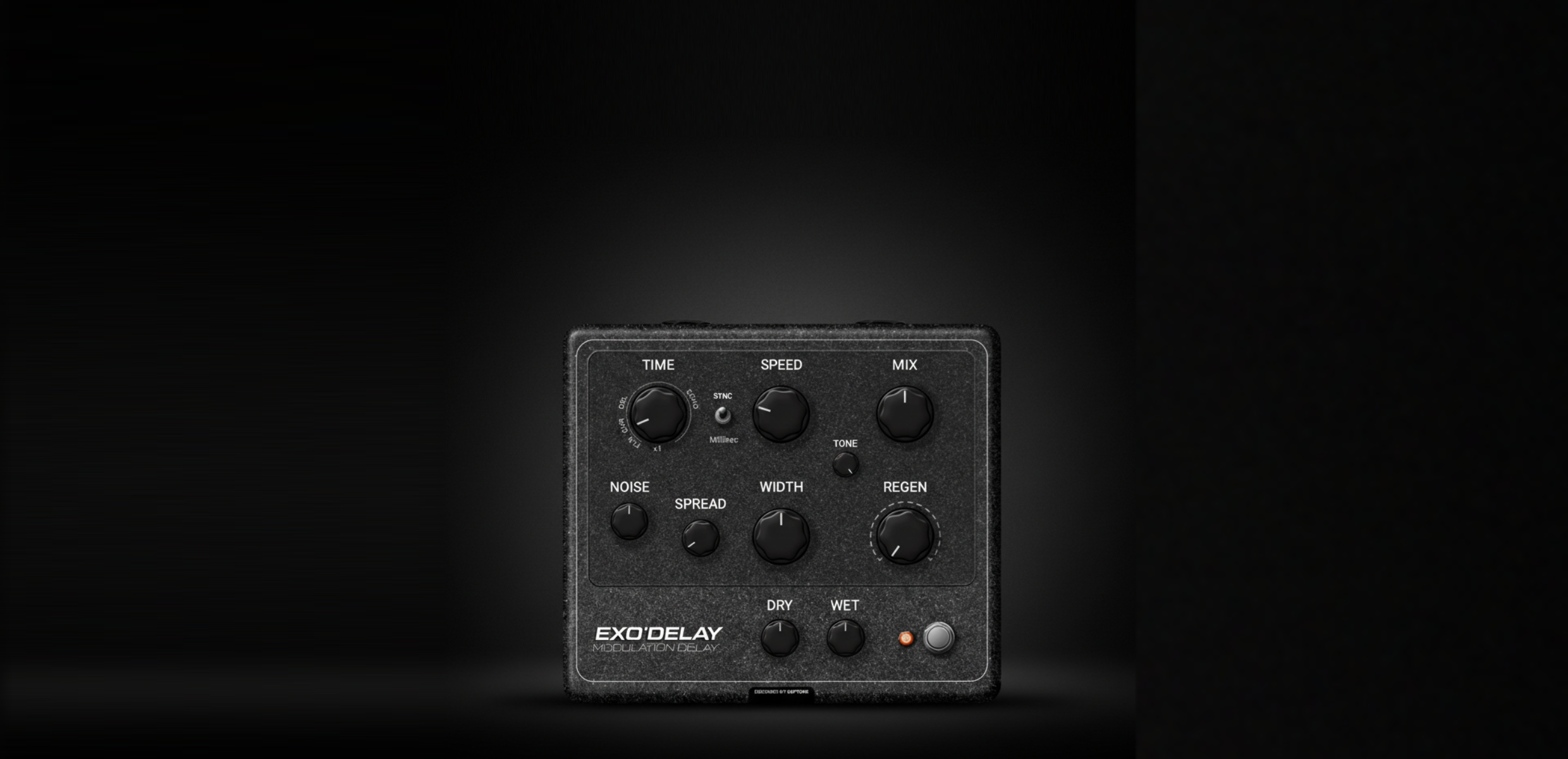
We build it with noise injection of vintage chips with saturated and bandwidth limited character. Emphasis & De-emphasis stages is also part of the device architecture. Noise adds perceived motion, improve depth illusion, makes feedback feel alive. Spread adjusts the stereo width, adds flanger effect. Regen set the amount of delayed signal fed back into the delay stage
ADDITIONAL CONTROL
AUTOGAIN: Adjusts the output level of the saturation stage to match the input level.
DUCK AMT: Amount of level reduction on the effect signal. Duration of the ducking effect controlling by the delay TIME knob.
DUCK SHAPE: Controls how smooth or sharp the ducking response is
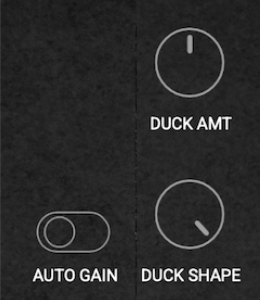
how fx work
EXODELAY / $35
USE FOR INSTRUMENTS PROCESSING
– GUITAR: Rhythmic delays. Modulated leads. Clean ambient textures
– BASS: Short delays with ducking. Subtle modulation for width
– SYNTHS: Animated echoes. Stereo movement. Sound design layers
– VOCALS: Tempo-synced delays. Ducking for clarity. Darker Tone settings
– DRUMS & PERC: Slapback echoes. Stereo rhythmic delays. Controlled feedback textures
™: All product names, artists and bands names, trademarks and registered trademarks are the property of their respective owners. All company, product, bands and service names used are for identification purposes only. Use of these names, trademarks and brands does not imply endorsement

64 bits support
Mac Intel / Apple Silicon
Windows 10
Frequently Asked Questions / F.A.Q:
VST3, AU & AAX formats, 64-bits only
* AAX is a trademark and software of Avid Technology. Audio Units is a trademark and software of Apple Inc. VST3 is a trademark and software of Steinberg Media Technologies GmbH.
Ableton Live 11+ / Mac & PC: AU & VST3
Bigwig 4+ / Mac & PC: AU & VST3
Cubase 13+ / Mac & PC: VST3
Digital Performer 11+ / Mac & PC: AU & VST3
FL Studio 23+ / Mac & PC: AU & VST3
GarageBand 10+ / Mac: AU
Logic Pro 10+ / Mac: AU
ProTools 12+ / Mac & PC: AAX
Presonus / Fender Studio One 5+ / Mac & PC: AU & VST3
Reaper 6+ / Mac & PC: VST3
Reason10+ / Mac & PC: VST3 / (Reason Rack: VST3)
Cakewalk Next / PC: VST3
Cakewalk Sonar – VST3
..and many more. If your DAW is suport AU, AAX & VST3 formats, they must work.
| Mac | Windows |
| 64-bits only Intel & Apple Silicon, Mac OS X 10.15 or higher | OS: 64-bits only Windows 10 or higher |
| RAM: 4Gb minimum, 16 recommended | RAM: 4Gb minimum, 16 recommended |
| Disk space: 200Mb free drive space | Disk space: 200Mb free drive space |
Just write to us about problem or any ideas to us: [email protected]
We provides separate installers for macOS and Windows. Launch the installer for your operating system and follow the steps. All selected plugin formats install automatically to their standard locations.
Windows — VST3 (64-bit), AAX
– VST3 installs to: C:\Program Files\Common Files\VST3
– VST3 installs to: C:\Program Files\Common Files\VST3
macOS — AU, VST3 (64-bit), AAX
– AU installs to: /Library/Audio/Plug-Ins/Components
VST3 installs to: /Library/Audio/Plug-Ins/VST3
AAX installs to: /Library/Application Support/Avid/Audio/Plug-Ins
Every license includes 3 activations. You can run the plugin on up to three systems simultaneously. No hardware dongle is required.
The activation window appears automatically the first time you launch the plugin. You can also reopen it later through the License button inside the plugin.
1. Open the activation window.
2. Click Activate your plugin
3. Click Let’s Go!
4. Your browser opens the Audioloom activation page.
5. Sign in with your Audioloom account.
6. The plugin activates automatically.
Use this method on systems without internet access.
Step 1 — Inside the plugin, click Activate your plugin. Select Offline Activation and click Generate Machine File. This creates a machine-specific activation request file.
Step 2 — Transfer the file to a machine with internet access. Open your browser, go to audioloom.com/activate, and drag the machine file onto the page. A license file for your offline machine will be generated.
Step 3 — Transfer the license file back to your offline machine. Activate by dragging the file onto the activation window.
Offline activations are permanent Once an offline activation is used, it is permanently bound to that machine. It cannot be revoked or transferred. Use online activation whenever possible to keep your activation slots flexible.
Online activations can be deactivated at any time, freeing up a slot for another machine. You can deactivate directly inside the plugin or via your account on the Audioloom website.
To deactivate inside the plugin:
1. Open the plugin.
2. Open the license information panel.
3. Click Deactivate.
To deactivate via the website:
1. Log in to your Audioloom account.
2. Navigate to your licenses.
3. In the Activations column, click Manage.
4. Select the active machine and click Revoke.
Offline activations cannot be deactivated If you activated offline, that activation slot is permanently assigned to that machine. Plan your offline activations carefully before proceeding.
Updates Free
Free for lifetime
DAW Support
All main DAWs
Downloads
Links to downlod